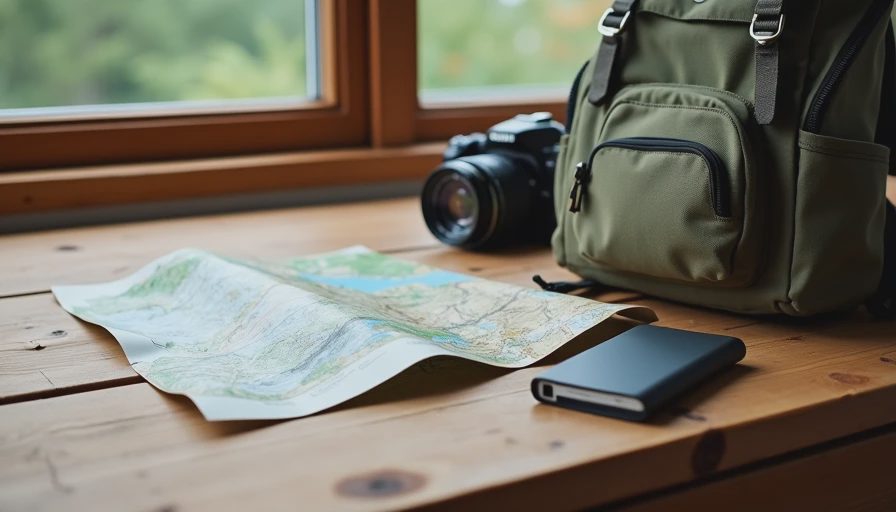
Friday afternoon I throw a camera, a phone, and a half-charged power bank into a small pack. The trailhead is two hours from Denver. Cell service will be uneven at best, and for long stretches it will be gone entirely. I still want the photos I take, the ability to send a quick check-in when I do have a signal, and a way back into my accounts if something goes wrong while I’m away from home.
I used to over-pack for these trips—extra cables, a full suite of security apps, printed recovery codes for every service I could think of. Most of it stayed in the pack. What I actually use now fits on a single short list.
Why a Weekend Trip Changes the Risk Picture

At home the usual assumptions hold: reliable power, reliable connectivity, and the ability to reset an account if a login fails. In the mountains those assumptions weaken.
Batteries drain faster in cold or with constant GPS use.
Public or lodge Wi-Fi, when it exists, is often untrusted.
A lost or damaged phone becomes harder to replace or remotely lock when you cannot reach a signal.
Photos and offline maps matter more than most other data.
The goal is not to recreate a full home security setup on the trail. It is to keep the handful of things that would actually ruin the weekend from going wrong.
The three things that matter most
You can still get into the accounts you need when you return to signal.
The photos and offline information on the phone are not permanently lost if the device is.
Someone can reach you, or you can reach them, if plans change.
Everything else is secondary for a two- or three-day trip.
Minimum Effort: The Ten-Minute Pre-Trip Pass
Do these five things the evening before you leave. They cover the majority of realistic problems.
Confirm recovery options on your primary email and any financial apps you might need. Make sure the recovery email and phone number still work. If you use backup codes, photograph them or save them in a place you can reach from another device.
Turn on Find My (iPhone) or Find My Device (Android) and confirm it is active. Also enable the setting that allows the device to be located even when powered off, if your phone offers it.
Set a simple device passcode or biometric lock if you do not already use one. A phone left in a tent or dropped on a trail should not open to the first person who picks it up.
Download offline maps for the area and make sure your camera roll or preferred photo app is set to back up when it next sees Wi-Fi or strong signal. Do not rely on real-time cloud upload while you are out of coverage.
Tell one person your rough itinerary and expected return window. A shared note or a quick text is enough.
That is the entire minimum-effort checklist. Most of it takes longer to read than to do.
What you can leave behind
Full disk encryption audits, new VPN configurations, and printed lists of every account password are unnecessary for a weekend. If your phone already uses a screen lock and your important accounts have working recovery methods, you are ahead of most people on the trail.
If You Want to Go Further
When the trip is longer, the area more remote, or the phone carries irreplaceable work files, add any of these:
Create a temporary “travel” note in your password manager or an encrypted offline file that contains the two or three backup codes you are most likely to need. Leave the full password list at home.
Pack a small secondary power source and a cable you have tested. A dead phone cannot be located or used for check-ins.
If you plan to use lodge or café Wi-Fi, avoid logging into email or banking on that connection. Wait for cellular data or use the phone’s own hotspot if you must.
Consider a inexpensive secondary device (an old phone with a fresh SIM or an offline GPS unit) if the itinerary is genuinely remote and you are traveling alone.
None of these are required for a standard weekend. They simply reduce the impact of the less common failures.
A note on photos
The pictures are often the most valuable thing on the phone by the end of the trip. Automatic cloud backup fails without signal. A quick manual export to a small encrypted drive or a second device before you leave the trailhead area is the practical insurance policy. EXIF location data can stay on; the privacy risk is low when the files remain under your control.

What I Actually Carry Now
My current pre-trip routine fits on an index card:
Recovery email and phone confirmed on primary accounts
Find My enabled
Screen lock on
Offline maps downloaded
One person knows the plan
I still bring a power bank and a cable. I no longer bring a separate security checklist the length of a grocery list. The short version has survived every weekend trip for the last two years.
The Next Thing
If you have a trip coming up, open your primary email account right now and confirm the recovery phone number and email still work. That single check removes the most common way a lost or dead phone turns into a locked-out weekend.
You don’t have to do everything. Just do the next thing.

No notes yet — be the first to inscribe one.