You open Venmo to split a dinner bill and find a restriction notice instead. A venmo account frozen situation is stressful, especially when money is sitting inside the app or a payment needs to clear today. The useful first move is not guessing, repeatedly logging in, or calling a phone number from a random search result. It is identifying what kind of restriction you have and preserving the information Venmo will need.
A freeze does not automatically mean your money is gone or that you did something dishonest. Venmo can limit an account after an unusual login, a disputed payment, an identity-verification issue, an unpaid negative balance, or activity its systems cannot confidently evaluate. Some restrictions clear quickly; others require documents or a support review.
What a frozen Venmo account usually means
Venmo may use different language for a temporary limitation, a payment review, a locked login, or a permanently closed account. Those situations are not identical. You might still be able to sign in but be unable to send money. You might see a request to verify your identity. Or you might be unable to access the account at all.
Look carefully at the in-app notice and any email from an official Venmo address. Save screenshots showing the message, date, transaction amount, and support case number. Do not delete emails or alter transaction descriptions while you are trying to understand the problem. If the notice says your venmo account frozen status is connected to a chargeback or negative balance, gather the matching bank or card record before contacting support.
Common triggers include several rapid payments, a new device or location, a recently added bank account, failed verification, a payment that another user disputes, or activity that resembles a scam pattern. A freeze can also follow a compromised password. The system is looking at behavior and account signals, not making a moral judgment about you.
Minimum effort: the safest first steps
Start inside the official Venmo app or by typing venmo.com into your browser yourself. Avoid links in text messages, direct messages, and emails that demand an immediate fee to “unfreeze” the account. Venmo support will not require gift cards, cryptocurrency, or a payment to a stranger before reviewing an account.
Next, stop attempting the same payment repeatedly. Multiple retries can create duplicate pending transactions or make the activity look more unusual. Write down the exact error message, the last successful login, recent payments, and whether you recognize every device and recipient.
Contact support through the app’s Help area or Venmo’s official website. Explain the timeline in plain language: “My venmo account frozen notice appeared after I added a debit card,” for example. Ask what category of restriction applies, what information is required, and whether pending funds can be transferred after the review. Keep the case number and communicate through the same official thread when possible.
If you suspect account takeover, change your Venmo password from a clean device and change it anywhere else you reused it. Review connected bank accounts, cards, authorized devices, and recent transactions. Contact your bank or card issuer promptly about unauthorized charges; Venmo support and your financial institution handle different parts of that problem.
What not to do while waiting
Do not create a second account to work around a venmo account frozen restriction. That can complicate identity matching and support review. Do not send identity documents to an address you found in a social media comment. Fraudsters often imitate customer service and ask for a one-time passcode, full card number, remote access, or a “release deposit.” None of those requests proves the person is legitimate.
Do not publicly post screenshots containing your email address, phone number, transaction IDs, or bank details. A frustrated Reddit post can attract helpful suggestions, but it can also attract people who claim they can fix the account for money. Treat unsolicited recovery offers as a scam until proven otherwise.
Pending payments deserve special attention. A payment marked pending is not the same as completed money, and canceling or disputing it without understanding the status can create another issue. Record the recipient, amount, funding source, and timestamp. If rent, payroll, or another important transfer is involved, use a separate verified payment method rather than sending the same amount again from a different account.
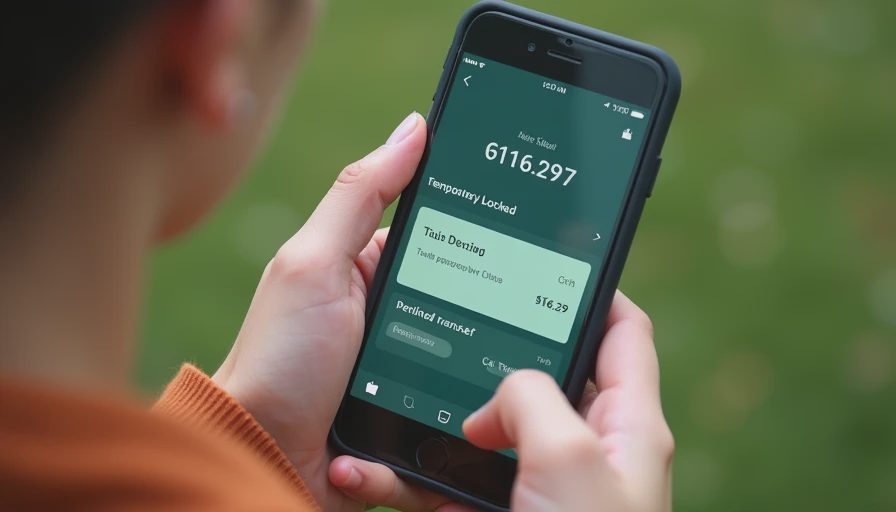
If Venmo asks for verification
A request for identity verification can involve your legal name, date of birth, address, or government-issued identification. Follow the instructions shown in the official app or support flow, and make sure the information matches the account and your financial records. Do not edit a document, crop away required details, or submit several conflicting versions because you are anxious about the delay.
Before uploading anything, check the web address and app source. Use a private connection if practical, and avoid public computers. After submission, keep a record of what you provided and when. A verification review is a reason to be careful, not a reason to send extra documents through an unverified email address.
If your venmo account frozen message follows a disputed transaction, provide factual context rather than an emotional argument. Include invoices, delivery records, messages, or proof of a refund only when they directly explain the payment. Never manufacture evidence. A short, chronological explanation is easier for a support agent to evaluate than a long thread of guesses.
If the restriction does not clear
Some account limitations take longer because a payment network, bank, or identity review is involved. Continue checking official messages, but do not spend hours refreshing the app. Set a reminder to follow up with support after the timeframe they provide. If money is needed for an essential bill, contact the merchant or sender and explain that the original payment method is under review.
If Venmo tells you the account is closed, read the notice carefully for instructions about withdrawing an eligible balance or appealing the decision. Keep copies of the notice and your support exchanges. A consumer complaint channel or legal advice may be appropriate for a substantial unresolved balance, but it is not the first step for a short temporary restriction.
A venmo account frozen problem is worth handling promptly, but panic usually creates more risk than the original notice. The practical goal is to secure access, preserve records, and answer the specific question Venmo is asking.
Preventing another restriction
Use a unique password and turn on multi-factor authentication where available. Keep your phone number and email current, and remove old devices from account settings. Do not let friends use your account to move money, even if they promise to repay you. Payments involving strangers, resale items, deposits, or “investment” opportunities deserve extra caution because scams often leave the account holder explaining activity they did not understand.
Review your linked bank accounts and cards every few months. Keep enough room in the funding account to avoid failed transfers, and do not label a personal payment inaccurately to make it look like something else. If you change phones, travel, or use a new bank card, expect that a security system might ask for additional confirmation.
The advanced option is a simple account-security record: save recovery details in a password manager, keep transaction receipts in a private folder, and maintain a separate payment method for essentials. You do not need a complicated security project. You need a calm way to verify what happened and reach the real support channel.
And remember: You don't have to do everything. Just do the next thing. If your venmo account frozen notice is on screen now, screenshot it, secure the login, and contact Venmo through the official app or website. That sequence solves the immediate risk without giving a scammer a second opportunity.


No notes yet — be the first to inscribe one.