A few years ago a relative’s phone number was ported to a new carrier without their consent. The first sign was not a missing phone. It was a series of password-reset messages that never arrived, followed by locked accounts that all relied on the same mobile number for recovery and two-factor codes.
The phone itself was still in their pocket. The number had been moved. That distinction matters more than most people realize.
A stolen or ported phone number is not just a telecommunications issue. It is an account-security issue, because so many services still treat the number as strong proof of identity.
Why a Phone Number Is More Than a Way to Call You
Most major accounts allow a mobile number to serve at least one of these roles:
Delivery of one-time codes for two-factor authentication
Password-reset destination
Recovery method when email access is lost
Identity check for customer-support calls
When the number is taken over, an attacker who controls it can often intercept codes, trigger resets, and persuade support teams that they are the legitimate owner. The attack does not require the physical phone. It only requires control of the number.
The two common ways a number is taken
SIM swapping / port-out fraud — the number is moved to a new SIM or carrier through social engineering or forged documentation.
Account takeover at the carrier — someone gains access to the mobile-account portal and changes forwarding, PINs, or recovery details.
In both cases the original phone loses service, but the deeper problem is the accounts that trusted the number.
Minimum Effort: The Immediate Response Sequence
If you suddenly lose service or receive an unexpected carrier message about a port or SIM change, work through these steps in order:
Contact your mobile carrier from a different phone or a known-good channel.
Report the unauthorized port or SIM change immediately. Ask them to place a port freeze or additional PIN protection on the account.Sign in to your primary email and financial accounts from a trusted device.
Change the password if you have any doubt, and remove the compromised number as a recovery or two-factor method as soon as you can.Switch critical accounts to a different second factor.
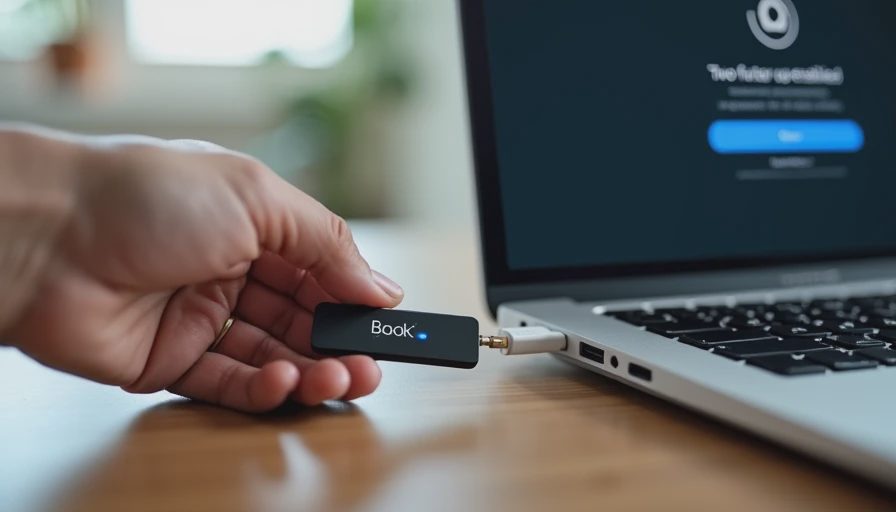
Use an authenticator app, a passkey, or a hardware security key where available. Do not rely on SMS codes for the accounts that matter most while the number is in dispute.Review recent account activity for any password changes, new recovery methods, or unfamiliar sessions.
That sequence prioritizes containment. The carrier work restores the number; the account work limits the damage the number can still do.
What to do while the number is still under someone else’s control
Treat every SMS-based code as unreliable. Use backup codes you already saved, authenticator apps, or passkeys. If an account forces SMS and you cannot change it yet, contact that service’s support through a channel you know is legitimate and explain that the number has been compromised.
If You Want to Go Further
Once the immediate problem is stabilized, three additional steps reduce the chance of a repeat and limit the blast radius:
Set a carrier-level port freeze or extra PIN on every mobile account you control. Most carriers offer this; it is one of the highest-leverage protections available.
Remove SMS as a two-factor option from high-value accounts and replace it with an authenticator app or passkey.
Keep a short written record (offline or in a password manager) of the non-SMS recovery methods for your most important accounts so you are not dependent on the phone number during a future incident.
These steps are worth doing even if you have never been targeted. The cost is low and the protection is durable.
A note on “but I still have the phone”
Physical possession of the handset does not protect the number. Port-out and SIM-swap attacks move the number at the carrier level. The phone simply loses signal. The accounts that trust the number remain exposed until you change their recovery and two-factor settings.
What I Changed After Watching It Happen
I added a port freeze to my own mobile accounts and moved every high-value login away from SMS codes. I still keep a phone number on file for low-stakes notifications, but it is no longer the primary recovery path or the primary second factor for anything I would hate to lose.
The relative recovered the number within a day. Recovering the affected accounts took longer. The difference was preparation: the accounts that already had non-SMS options were restored quickly; the ones that depended solely on the number required more time and more verification.
The Next Thing
Open your primary email account today and check whether a mobile number is listed as a recovery method or two-factor option. If it is, add a second method (authenticator app or passkey) and consider removing SMS from the highest-value accounts. That single change removes the most common way a stolen number becomes an account takeover.
You don’t have to do everything. Just do the next thing.



No notes yet — be the first to inscribe one.