
Last summer I posted a photo from a trail near Estes Park. Clear light, good composition, nothing dramatic. A few days later a friend texted: “I didn’t know you were up that high.” He had opened the image file itself, not the social-media version, and the location data was still attached. The photo told him the exact ridge, the approximate time, and that I had been away from home for the weekend.
I had stripped the obvious details from the caption. I had not stripped the data the camera quietly wrote into the file.
That is the quiet problem with vacation photos, family pictures, and almost every image we take on a phone.
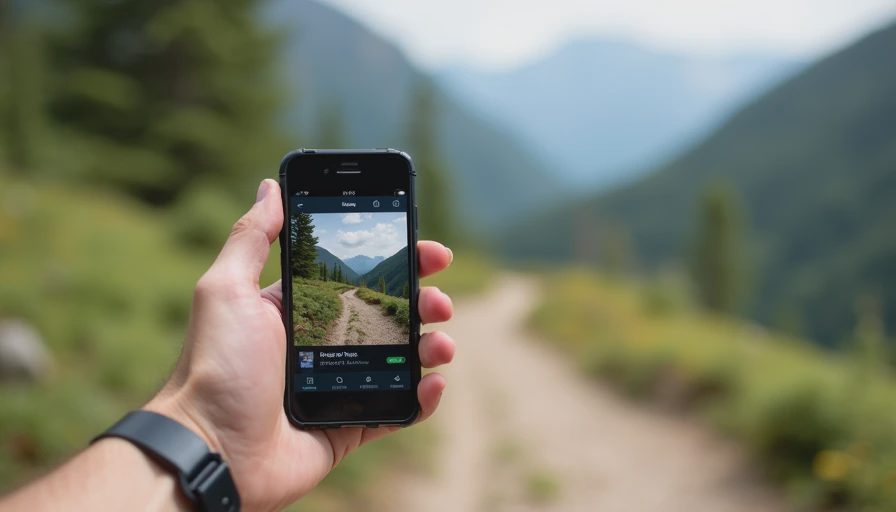
What a Photo File Actually Contains
Most modern phones and cameras embed a block of information called EXIF data. It can include:
GPS coordinates accurate to a few meters
Date and time the shutter was pressed
Camera or phone model
Sometimes the software used to edit the image
When you upload the original file to a cloud album, email it, or share it through certain apps, that information often travels with it. Social platforms usually strip location data on public posts, but downloads, direct shares, and many messaging apps do not.
Why this matters more than it used to
A single photo with coordinates can reveal a home address if it was taken in the driveway, a travel pattern if several images are posted over time, or the fact that a house is empty while the family is away. None of this requires sophisticated hacking. It only requires someone to look at the file properties.
Most people never intend to publish that level of detail. The camera simply records it by default.
Minimum Effort: Three Checks That Remove Most of the Risk
You do not need new software or a complicated workflow. These three steps cover the majority of everyday sharing:
Before you share a photo from your phone, open it in the native Photos or Gallery app and look for a location or map icon. On both iPhone and most Android phones you can remove the location with one or two taps before sending or uploading.
When you post to social media, prefer the platform’s own upload tool rather than attaching the original file from your files app. Most major platforms strip precise GPS data from public posts automatically.
For the handful of images you email or send by direct message, use the “share without location” option if your phone offers it, or open the image in a basic editor and re-save a copy. The re-saved version usually drops the original EXIF.
That is the entire minimum-effort pass. It takes seconds per photo once you know where to look.
What you can safely ignore for now
Camera model, lens settings, and edit history are rarely useful to anyone who might cause you problems. Focus on location and precise timestamps first. Everything else can wait.
If You Want to Go Further
Once the quick checks feel automatic, three additional habits close most of the remaining gaps:
Turn off location tagging for the Camera app itself in your phone’s privacy settings. You can still add a location later if you want it for your personal album.
Keep a simple “clean copy” folder in your cloud storage. When you want to share an image outside your private albums, drop a version that has already had its location removed.
Once or twice a year, download a small sample of photos you have previously shared and check whether location data is still present. The exercise takes five minutes and shows you which apps or services are quietly preserving the information.
None of these steps require paid tools. They simply make the default behavior safer.
A note on cloud backups
Your private cloud library can keep full EXIF data; that is often useful for searching and organizing. The risk appears only when the same file leaves your private library and travels to someone else or to a public post. Treat the private library and the shared version as two different things.
What I Changed After That Text
I now treat location data the same way I treat the recovery email on an important account: something worth a quick look before it leaves my control. On trips I leave location services on for the maps I actually need, but I strip the coordinates from any photo that will be sent or posted. The extra taps have become automatic.
I also stopped assuming that “the platform will handle it.” Some do. Some do not. Checking once is faster than discovering later that a file still carried the trailhead coordinates.

The Next Thing
Pick one recent photo you shared or planned to share. Open it on your phone, look for the location information, and remove it if it is still there. That single action closes the most common way vacation pictures quietly reveal more than their captions.
You don’t have to do everything. Just do the next thing.


No notes yet — be the first to inscribe one.