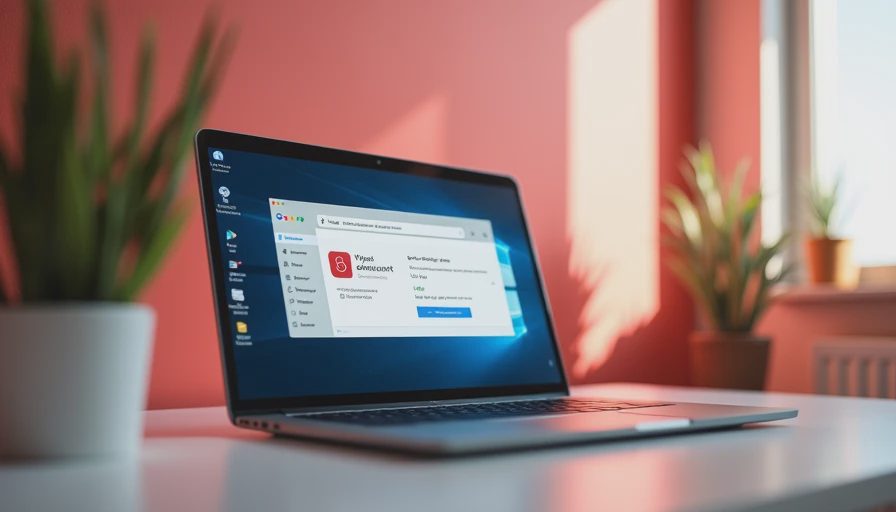
Seeing the phrase suspicious activity in your account google windows signed out can feel alarming, especially when it appears in a Google security alert and you do not recognize the device. I have had the same uneasy moment: checking an account notification late at night and wondering whether someone was already inside. The good news is that “Windows signed out” often means Google detected a session or sign-in it did not fully trust and ended it. That is a warning to investigate, not automatic proof that your account was stolen.
What the Google alert is telling you
Google security notices commonly include an approximate time, location, device type, browser, and action taken. If the device is listed as Windows and the status says signed out, Google may have ended an active session, blocked a sign-in, or removed access after detecting unusual behavior. The location can be approximate because it is based on an internet address, not a precise GPS reading. A Denver alert might actually reflect a coffee shop, mobile carrier, workplace network, or a routed connection several miles away.
The wording suspicious activity in your account google windows signed out is also the kind of phrase people use when searching for help, not necessarily Google’s exact sentence. Focus on the details inside the official alert. Look at the timestamp, device, browser, and recent activity list. A Windows entry could be your work laptop, an old computer you forgot about, or a browser session that remained open after you changed networks. It could also be an attacker’s attempted login.
Do not click a security link in a text message or unexpected email until you verify it. Open a new browser tab, type myaccount.google.com yourself, and choose Security. Genuine account information should be visible there without relying on the message’s button.

Minimum effort: secure the account now
Start with the steps that reduce the most risk in the fewest minutes. In Google Account Security, review Recent security activity and Your devices. Sign out of any Windows computer, browser, or phone you do not recognize. If an unfamiliar session is listed, select it and follow Google’s sign-out option rather than trying to contact the device owner.
Next, change your Google password from a device you trust. Use a new password that is not reused for email, banking, shopping, or work accounts. A long phrase of four or more unrelated words can be easier to remember than a short string of substitutions. If you use a password manager, generate a unique password and save it there. Changing the password is especially important when suspicious activity in your account google windows signed out appears alongside an unfamiliar location or device.
Turn on two-step verification if it is not already enabled. Google can support prompts, authenticator codes, security keys, and other methods depending on your account. An authenticator app or security key is generally stronger than relying only on text messages, but any available second step is better than a password alone. Save backup codes somewhere private and offline so a lost phone does not lock you out.
How to tell whether it was actually you
Before assuming the worst, reconstruct your day. Did you use a Windows laptop at work, a library, a hotel, or a shared office? Did you sign into Gmail through Chrome, Edge, Outlook, or a photo backup application? Did you recently reset a browser, install Windows updates, or use a virtual desktop? Those events can create confusing device entries or prompt Google to ask for verification.
Compare the alert time with your own schedule, but do not treat a familiar city as proof that the activity was yours. An attacker could be nearby, and a legitimate connection could appear in a neighboring city. The strongest clues are the device name, browser, sign-in method, and whether Google says the event was blocked. A blocked attempt is reassuring, but it still justifies checking your password and recovery settings.
Review your recovery phone number and recovery email. Remove anything you no longer control. Also inspect third-party access under your Google account. An old travel app, email client, or file tool may still have permission to read account information. Remove access for services you do not recognize or no longer use. This is often more useful than deleting every familiar device from the list.
When the alert points to a larger problem
The situation deserves faster attention if your Gmail messages were read, sent, deleted, or forwarded without your action. In Gmail settings, check forwarding addresses, filters, blocked addresses, and delegation. An attacker who cannot keep a session may still try to create a forwarding rule that copies future email. Remove unauthorized rules and search Sent, Trash, and All Mail for changes you did not make.
Also check other accounts connected to the same password. Start with email, banking, credit cards, cloud storage, social media, and work platforms. Change reused passwords in that order. If financial information or identity documents were stored in Google Drive, review bank and card activity and contact the relevant institution through its official website or phone number. Do not call a number supplied by a suspicious message.
If you downloaded a file, installed remote-access software, or entered your password into a page reached from an alert, scan the Windows computer with its built-in security tools and update the operating system and browser. A clean sign-out does not prove the computer is clean. If the device belongs to an employer, report the event to its IT or security team before removing corporate software.
Advanced checks for people who want more certainty
If suspicious activity in your account google windows signed out continues after a password change, review Google’s detailed device and session information over the next day. Record dates, locations, and device names with screenshots. This creates a useful timeline if support becomes necessary. Check whether a password manager, mail client, browser extension, or phone is repeatedly trying an outdated password. Repeated failed attempts can produce alerts after a legitimate password change.
For a stronger setup, use a passkey on a personal phone or security key, keep your recovery information current, and separate your primary email from accounts used for newsletters and shopping. These measures are not mandatory for everyone. They are most useful when your Google account contains tax documents, private photographs, work files, or the recovery links for many other services.
Avoid installing a random “Google security” application or paying someone who contacts you unexpectedly. Google will not need remote access to your computer to explain a routine alert. Scammers often copy legitimate warning language, including suspicious activity in your account google windows signed out, then demand gift cards, cryptocurrency, or immediate payment.
The sensible next step
If the Windows session was yours, the alert was blocked, and no account settings changed, update your password if it is reused and enable two-step verification. That is usually enough for a routine review. If the device was unfamiliar, sign out everywhere you can, change the password from a trusted device, inspect Gmail settings, and secure other accounts that shared the password.
You do not have to turn account security into a weekend project. Spend ten focused minutes on the Google Security page, then handle the next connected account only if the evidence points there. Suspicious activity in your account google windows signed out is worth taking seriously, but it does not require panic. You don't have to do everything. Just do the next thing.


No notes yet — be the first to inscribe one.